
10 Steps For Increasing Print Apply System Uptime
10 steps for increasing print apply system uptime

n order to maximize your company’s print apply system uptime and ensure high quality, readable label information, there are several key steps that should be taken. When information isn’t readable, it leads to a breakdown in efficiencies leading to additional costs and issues throughout the supply chain. Taking the time and care for routine, preventive maintenance will ensure your systems run optimally and minimize downtime and costly repairs.
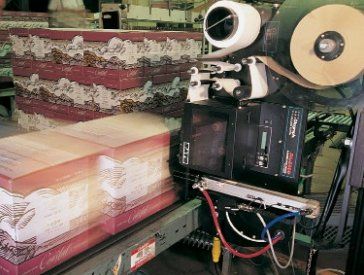
Here is a quick run through of the 10 steps you should make sure are being done:
- Always use quality media. Poor media can cause excessive adhesive buildup along the label path, labels failing to peel from the liner, excessive label/liner dust buildup in the printer, labels separating from the liner before reaching the peel edge, poor print quality and label web breakage during operation, as well as lower the print head life.
- Clean the print head each time a new roll of ribbons is installed. Not doing so will result in debris build-up on the print head, which leads to element damage, poor print quality, unreadable barcodes and early print head failure.
- Change the platen roller when the print head is changed. When the platen roller is damaged or worn, the print head will not print well and will cause downtime and maintenance costs in staff having to make adjustments to correct issues.
- Minimize heat, pressure and print speed settings. Print at the lowest speed that allows the application throughput rates to be met, and also set the heat and pressure to the lowest levels that provide quality print at the set speed. Settings that are too high will damage the print head elements and also increase the wear on the print heads and platen rollers.
- Provide training to all operator staff. This will ensure the proper operation of the system, proper media changing techniques and adjustments, cleaning and maintenance protocols, troubleshooting and identifying issues.
- Keep critical spare parts on hand, especially print heads and platen rollers and any other parts dependent on the type of system and duty cycles.
- Keep a spare print engine. In the event of a printer problem, the print engine can be quickly swapped out, allowing for the production line to continue running while the original printer is serviced.
- Ensure proper material handling and the maintenance of it, so they don’t interfere with the print apply system and cause damage and operational downtime.
- Evaluate media change procedures when selecting a system. Evaluate the ease with which the media (labels and ribbons) can be changed. The more complex the routing, the longer the downtime will be for staff to change the media.
- Evaluate printer serviceability and ease of use of features. Are the print heads and platen rollers easy to change out? Do they offer tool-less quick-change features?
For further information and to learn more about your options on your print apply systems, call us as (800) 643-2664 and immediately talk to one of our friendly representatives; or chat us up on Facebook , Twitter , Google+ and LinkedIn !